API Deployments
Updated
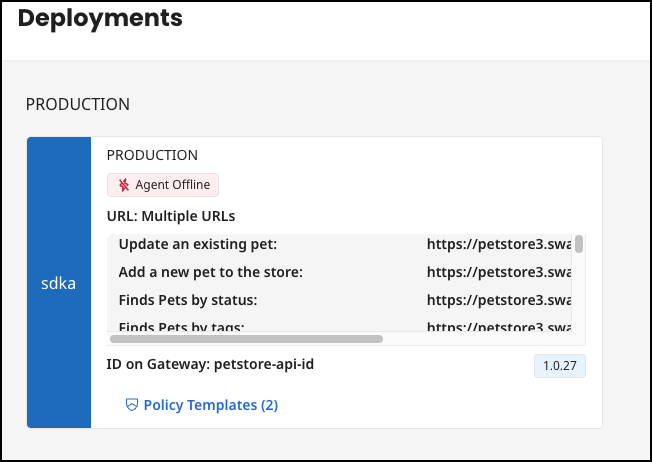
Each tile represents a deployment of the API. The tiles are grouped by production environments and non-production environments.
The left side of the tile contains the color and the shortcut of the environment in which the deployment is located.
In addition to the display name of the environment and the status of the agent, you will also see the URL with which you can reach the deployment and the ID of the gateway.
You have the option of saving the deployment URL to the clipboard by clicking on the copy icon.
Any attached API policy templates can be viewed and updated.
